Table of content

Use this surface area of a sphere calculator to get the total outer area fast and accurately. Enter radius or diameter, pick your units, and see the result instantly. It also works as an sa of a sphere calculator for balls, bearings, sports balls, and geometry homework.
To use this surface area of a sphere calculator, you only need one measurement: radius or diameter. Pick whichever one you have, choose the unit you measured in, and the tool will return the total surface area in squared units right away.
Choose radius or diameter.
If you know the radius, use the radius field. If you measured across the whole ball, use the diameter field.
Enter your value.
Type the number exactly as you measured it (decimals are fine).
Select your unit.
Choose the same unit you used to measure—like mm, cm, m, inches, or feet—so the result comes out correctly.
Click Calculate.
The calculator applies the sphere surface area formula automatically and generates your result instantly.
Read the total surface area result.
Your answer will display in square units (for example, cm² or m²). If your tool supports it, you can switch units to see the same area in a different format without re-entering the number.
Once you’ve got the number, you can use it for geometry homework, quick size comparisons, or estimating materials like paint, coating, or wrap for a spherical object.
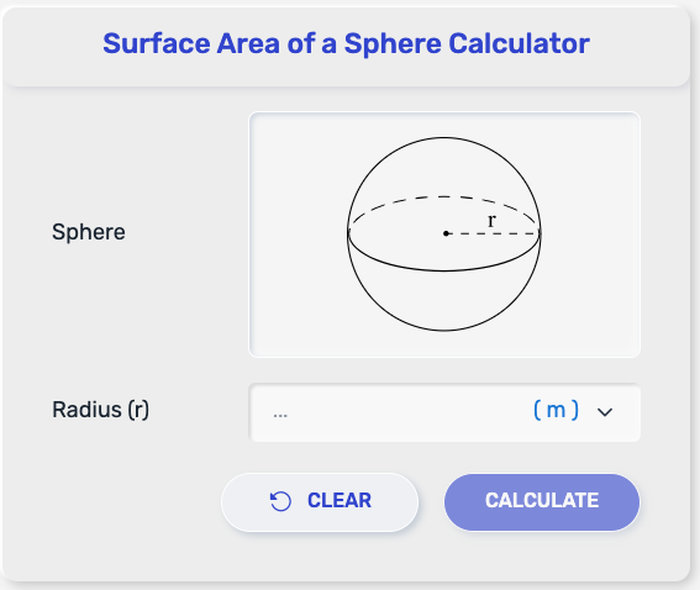
This calculator is built for quick, accurate results whether you’re working on a math problem or estimating materials for a real object. It focuses on the total surface area (the full outer area) of a sphere.
Total surface area from radius (r)
Enter a radius value to calculate the full outer area of the sphere in square units.
Total surface area from diameter (d)
If you measured across the sphere from edge to edge, use diameter instead—no need to convert it yourself.
Surface area with unit support
Choose common units like mm, cm, m, inches, or feet, and get the surface area in the matching squared unit (mm², cm², m², in², ft²).
Clean, ready-to-use output
The result is formatted so you can copy it into homework, reports, product specs, or material estimates without extra steps.
Your result is the total outer area of the sphere—basically the amount of “surface” covering the outside, like the skin of a ball. If you wrapped the sphere perfectly with a thin layer, the number you get is the area of that wrap.
How to read the units
If your input is in cm, the output is in cm².
If your input is in m, the output is in m².
If your input is in inches, the output is in in².
Since area uses square units, the unit change can make the number look very different even though the sphere is the same size.
Where this number is useful
School & geometry checks: confirm answers fast without rewriting formulas each time.
Material estimates: coatings, paint, plating, or anything that covers the outside of a sphere.
Real objects: balls, beads, bearings, round ornaments, and spherical tanks (outer area only).
If you entered the radius or diameter correctly and selected the right unit, the result you see is the full surface area of the sphere—no extra conversion needed.

This tool calculates the total surface area of a sphere, meaning the full outside area covering the entire ball. Depending on what you enter—radius or diameter—it uses the matching formula below. You don’t need to convert anything manually, but it’s useful to know what’s happening behind the scenes.
When you enter the radius (r)
The calculator uses the standard sphere surface area equation: A = 4πr²
A is the total surface area
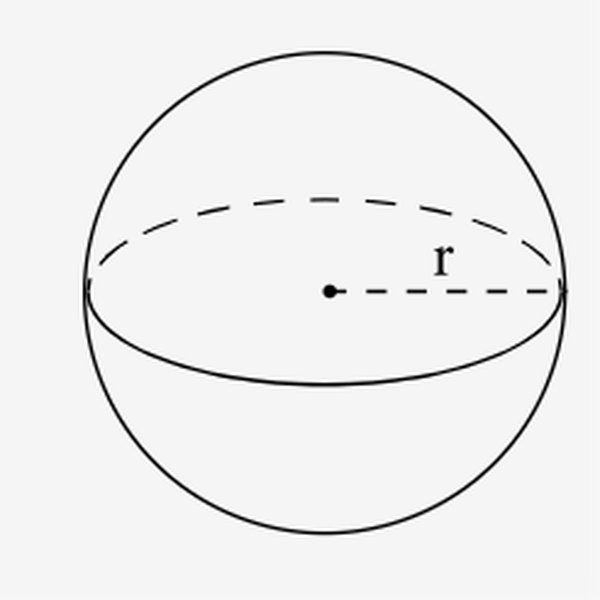
r is the radius (center to the edge)
π is pi (about 3.14159)
Because the radius is squared (r²), even small changes in radius can change the surface area a lot.
When you enter the diameter (d)
If you only know the diameter (edge to edge through the center), the calculator can use this direct form: A = πd²
d is the diameter
This works because d = 2r, and the algebra simplifies to the formula above
Quick note on units
No matter which formula is used, the output is always in square units (like cm², m², or in²). That’s because surface area is a 2D measurement, even though the shape is 3D.
A few quick checks can save you from a radius/diameter or unit mix-up:
If you double the radius, the surface area becomes 4× larger (because the formula uses r²).
If the radius is small (around 1–3 cm), the surface area in cm² is often a two-digit number. (Not always, but it’s a common range.)
Switching to a larger unit makes the number smaller. For example, the same area written in m² will look much smaller than in cm², because 1 m² = 10,000 cm².
Wolfram MathWorld – Sphere
https://mathworld.wolfram.com/Sphere.html
Encyclopaedia Britannica – Sphere (geometry)
https://www.britannica.com/science/sphere-mathematics
NIST (National Institute of Standards and Technology) – Guide for the Use of the International System of Units (SI)
https://physics.nist.gov/cuu/pdf/sp811.pdf
BIPM – The International System of Units (SI Brochure)
https://www.bipm.org/en/publications/si-brochure
ISO 80000-3 – Quantities and units — Part 3: Space and time
https://www.iso.org/standard/64973.html
Yes. It returns the full outside area of the sphere (the entire “skin” of the ball), not a partial section.
Yes. “SA” is just a short way to say surface area, and this calculator gives the same result.
Yes. A ball is a sphere, so the math is the same.
Either works. If you have diameter, the calculator can use it directly (or convert it to radius behind the scenes).
Surface area is shown in square units, like cm², m², in², or ft², based on the unit you pick.
Because surface area measures a flat “coverage” amount, so it uses squared units.
Surface area grows with r², so small radius changes can make a noticeable difference—especially for larger spheres.
Most differences come from using radius vs diameter, unit settings, or rounding/π precision.
For homework, 2–4 decimal places is usually enough. For real-world estimates, round to match the tolerance you need.
No. If you see a negative value, the input is invalid—radius and diameter must be greater than zero.
surfaceareaofaspherecalculator.com is a simple online tool designed to help students, teachers, engineers, and anyone working with geometry quickly calculate the surface area of a sphere. Our goal is to make mathematical calculations faster, easier, and accessible to everyone without requiring complicated formulas or software.
With the Surface Area of a Sphere Calculator, users only need to enter the radius of a sphere to instantly get accurate surface area results. The tool is built to save time, reduce calculation errors, and support learning in mathematics, physics, engineering, and other fields where sphere measurements are important.
surfaceareaofaspherecalculator.com focuses on providing a clean, fast, and easy-to-use experience. The calculator works directly in your browser, requires no downloads, and can be used anytime on desktop or mobile devices.
We are committed to providing reliable, easy-to-use calculation tools while respecting user privacy and maintaining transparency.
surfaceareaofaspherecalculator.com does not require account registration or personally identifiable information. Any values you enter, such as the radius or other sphere measurement inputs, are used only to perform the calculation and are not stored or shared.
While this calculator is built using the standard mathematical formula for calculating the surface area of a sphere, results are intended for educational, informational, and general use purposes only. Although we aim to provide accurate calculations, users should verify important results independently before relying on them for academic, engineering, scientific, or professional work.
By using this tool, you agree to use it responsibly and understand that surfaceareaofaspherecalculator.com is not liable for decisions, interpretations, or outcomes based solely on the calculated results provided by the website.
We may update this Policy from time to time to reflect improvements to our tool, content changes, or legal and regulatory updates. Any changes will be posted on this page to help maintain transparency.